Cryogenic Electron microscopy · Data Management

The complete notebook for cryo-EM labs

CAMP-EM tracks every specimen, grid, screening session, and data collection run — from sample preparation to imaging report — in one secure portal. Built for facility managers and admins who run the microscopes, and the research teams who rely on them. Currently focused on single particle cryo-EM.
CAMP-EM cryo-EM workflow notebook illustration
7+
Workflow modules:
samples, grids, screening,
collection, reports & more
4
Role tiers with
granular access control
Local install with
live support & local
data storage
PDF report export
& online web access
from anywhere
What CAMP-EM does

Everything your facility needs in one place

Designed for cryo-EM facilities running single particle analysis — managing multiple labs, users, and microscopes simultaneously.

Sample & Grid Inventory

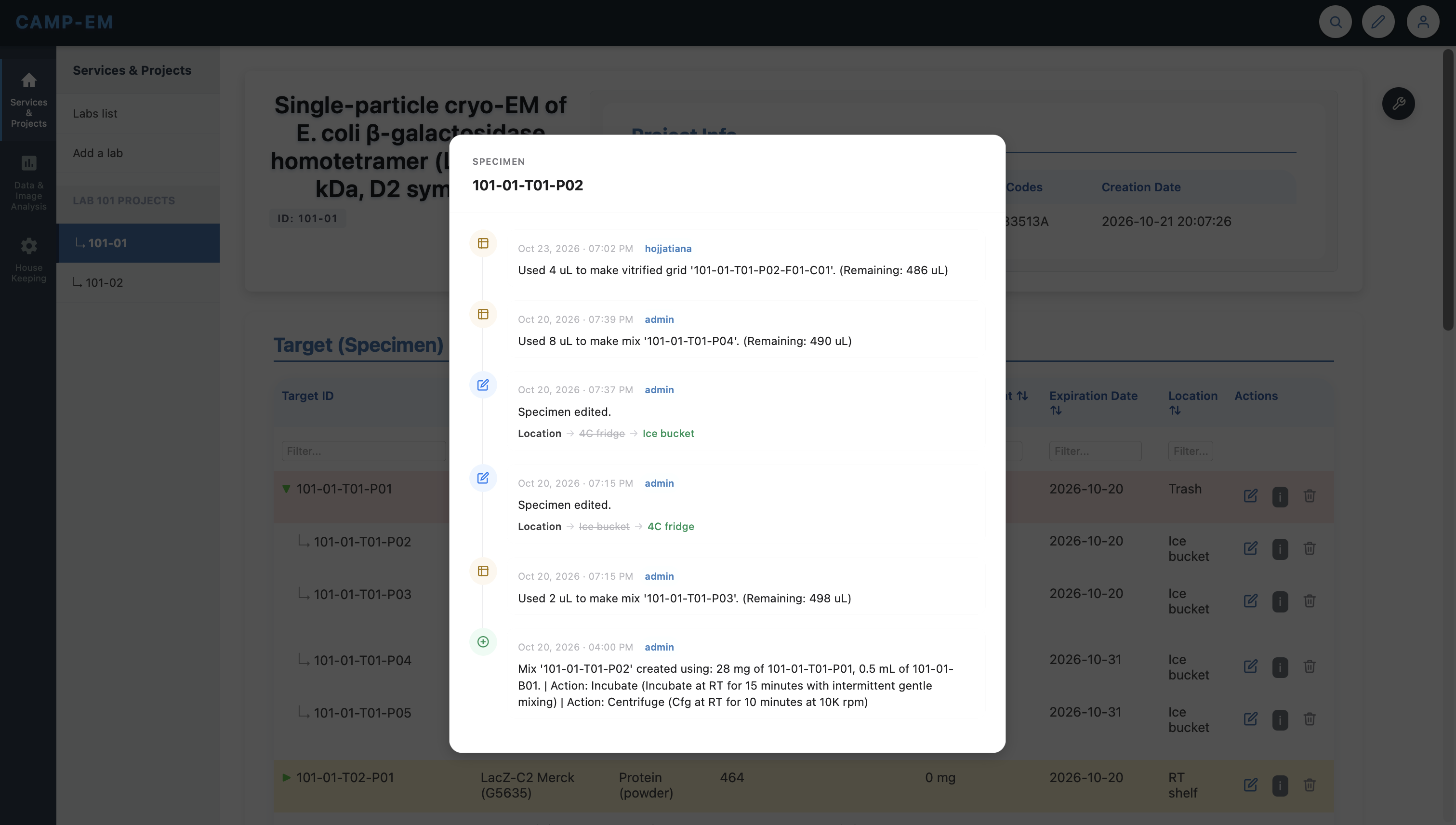
Track specimens, vitrified grids, and RT grids with full metadata. Records every change to your sample over time — concentration drops, buffer swaps, freeze dates — all traceable back to the exact prep.

Tool Shed

A centralized toolkit for building your experiment from the ground up — add targets, mixes, and buffers; make vitrified or RT grids; attach documents; and log imaging results. Everything you need, organized in one place.

Multi-Instrument Vitrification Settings

Store and reuse settings for Vitrobot, Leica GP2, Chameleon, and manual plunging. Parameters are saved per instrument and pre-filled on new sessions — no more retyping from memory.

Screening Sessions

Submit structured reports capturing microscope settings, grid quality scores, and atlas parameters. Accessible online at any time and exportable as a clean PDF — with a record of who ran the session.

Report Data Collection Results

Log dose, pixel size, and defocus range — then report the outcome: resolution, map and model images, 2D class averages, and links to your processing pipeline. Export as PDF or share online.

Centralized & Customizable Admin Settings

One settings panel to configure all microscopes, storage locations, dropdown options, and lab parameters — tailored to your instruments and workflows, no coding required.

Facility management

Housekeeping & stock control — all in one place

CAMP-EM gives facility managers the tools to stay on top of consumables and grid storage across the whole facility, not just individual experiments.

Consumable Stocks Management

Track remaining quantities of grids, reagents, blotting papers, and other consumables. Set low-stock alerts and maintain a reorder log so the facility never runs out mid-session.

Screenshot coming soon

Vitrified Grid Storage Tracking

Know exactly where every vitrified grid is stored — dewar, puck, and slot — and who last accessed it. Track transfers between storage systems and flag grids held beyond a time threshold.

Screenshot coming soon

Room Temperature Grid Storage

Manage your RT grid inventory with box and slot-level tracking. See what's available, what's been used, and what needs replenishing — across every lab in the facility.

Screenshot coming soon

Cryogen & Gas Supply Monitoring

Track LN₂ dewar levels, ethane, CO₂, and compressed gas cylinders. Set low-level thresholds and receive alerts when it's time to reorder or schedule a refill — never get caught without LN₂ mid-session.

Screenshot coming soon
How it works

From sample to structure — fully documented

Every step of the cryo-EM workflow leaves a traceable record linked to the grid that produced it.

01

Register your specimen

Add target proteins or complexes with concentration, volume, buffer, and expiration. Each gets a unique ID for downstream linking.

02

Prep and log grids

Record substrate, mesh, glow discharge conditions, and vitrification parameters. Grids are linked to their source specimen automatically.

03

Submit screening report

Document microscope setup, grid quality scores, and representative micrograph observations through the structured template.

04

Report data collection results

Attach a full collection run record — magnification, exposure, defocus, resolution, and processing pipeline links.

Grid inventory
101-01-G01 RyR1 · QuantiFoil Au 1.2/1.3 Data collected
101-01-G02 RyR1 · UltrAuFoil 1.2/1.3 Screened
101-01-G03 TRPV1 · QuantiFoil Au 2/2 Available
101-02-G01 TRPV1 · QuantiFoil Au 1.2/1.3 Available
101-02-G02 Apo-ferritin · C-flat 1.2/1.3 Tossed
Access & permissions

Perfect for facility managers, admins, and their research teams

Every role gets exactly the access it needs — from the facility director managing all labs, to the bench scientist submitting a grid for screening.

Master Admin

Full system access. Manages all users, labs, and global configuration. Protected from modification by any other role.

Admin / Manager

Create and edit all records within assigned labs. Manage users, approve submissions, and export reports.

PI / Lab Head

View and submit records for their own lab's projects. Cannot see other labs' data — ideal for multi-group facilities.

Lab Member

Submit screening and collection reports, view their project's inventory, and track their own grids through the pipeline.